Your orders, deliveries and quotes
What it does
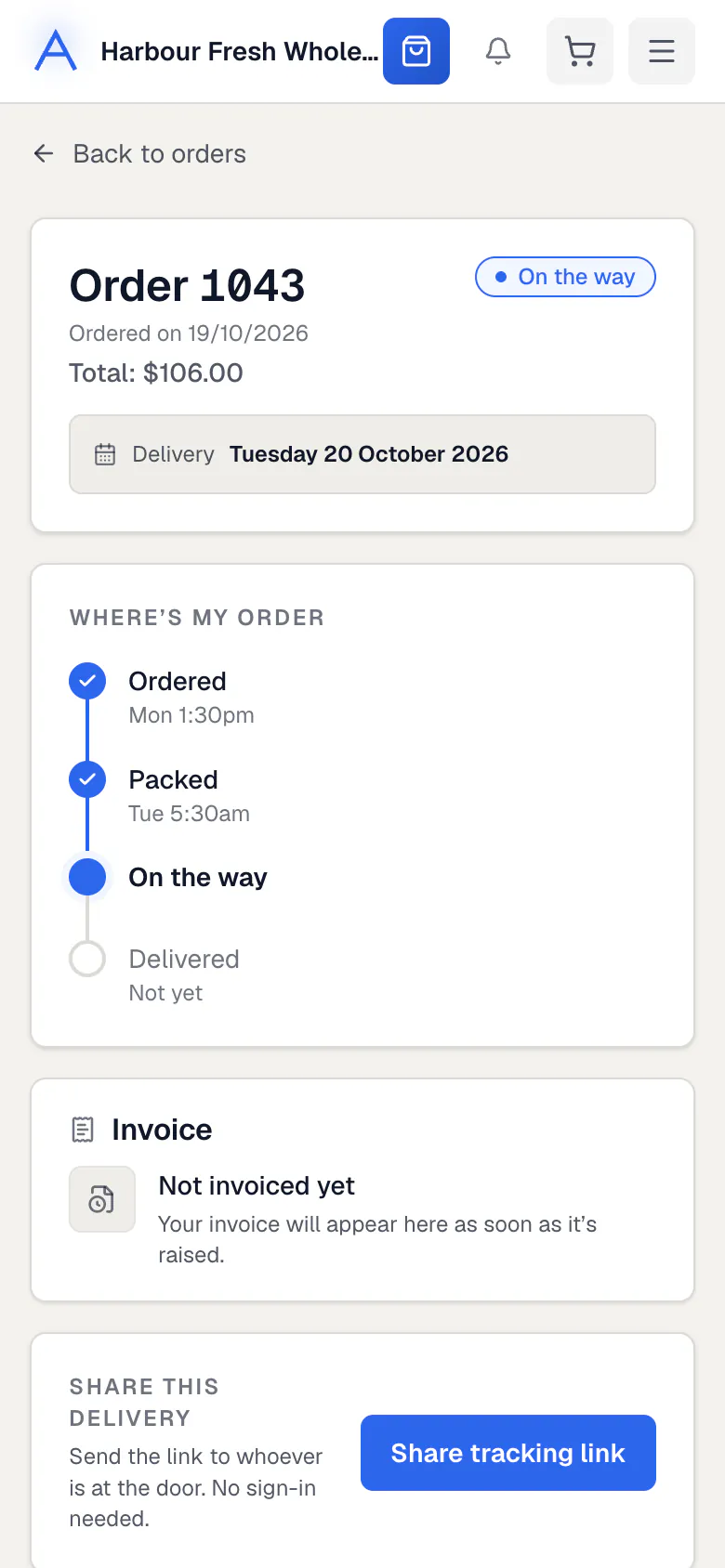
The Orders page lists every order. Each order shows Where’s my order, in four simple steps, and what was packed against what you ordered.
When your delivery is on its way, you get a tracking link. It shows the van on a map and works without signing in.
How to do it
Follow an order
- Open Orders and press the order.
- Read Where’s my order to see how far it has got.
- Open the tracking link when it is on its way, to see when it arrives.
Report a problem
- Open the order.
- Press Something wrong with this order?.
- Say what happened. Your supplier is told straight away.
Approve a quote
- Open Quotes. A number shows when one is waiting.
- Open the quote and check the items and prices.
- Approve it, or ask for a change. Once approved, it becomes your order.
What if…
What if something was short when packed?
The order page shows what was packed and why, so you know before the van arrives.
What if your supplier moved the delivery day?
The order says the day was moved, and shows the new day.
What if you want the same again?
Press Order these again on the order page.
Common questions
Do I need to sign in to track my delivery?
No. The tracking link works on its own.
Where do I see older orders?
On Orders. Each order also lists your earlier orders.
Can I message the driver?
If your supplier uses delivery chat, the order page shows a chat while the delivery is on its way.
Still stuck?
Your supplier knows your account best, so ask them first. Their details are on your invoices. They can reach us too.