Your look and workflow
What it does
Settings → Appearance is about you, not the business. Each person picks their own look and how the app opens for them.
Your choices are saved on your account, so they follow you to every computer and phone. Light or dark stays with each browser.
How to do it
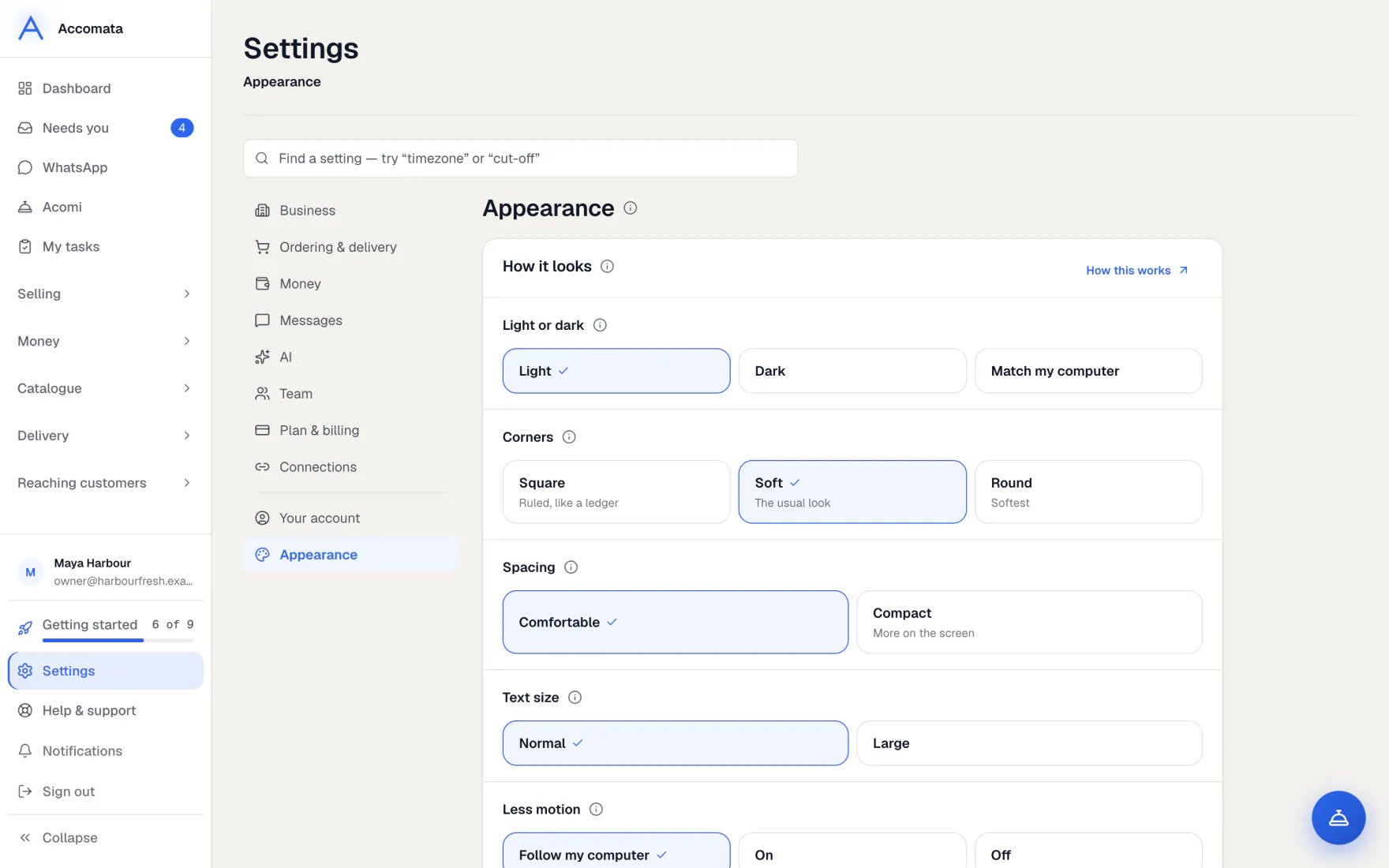
Change how it looks
- Open Settings → Appearance → How it looks.
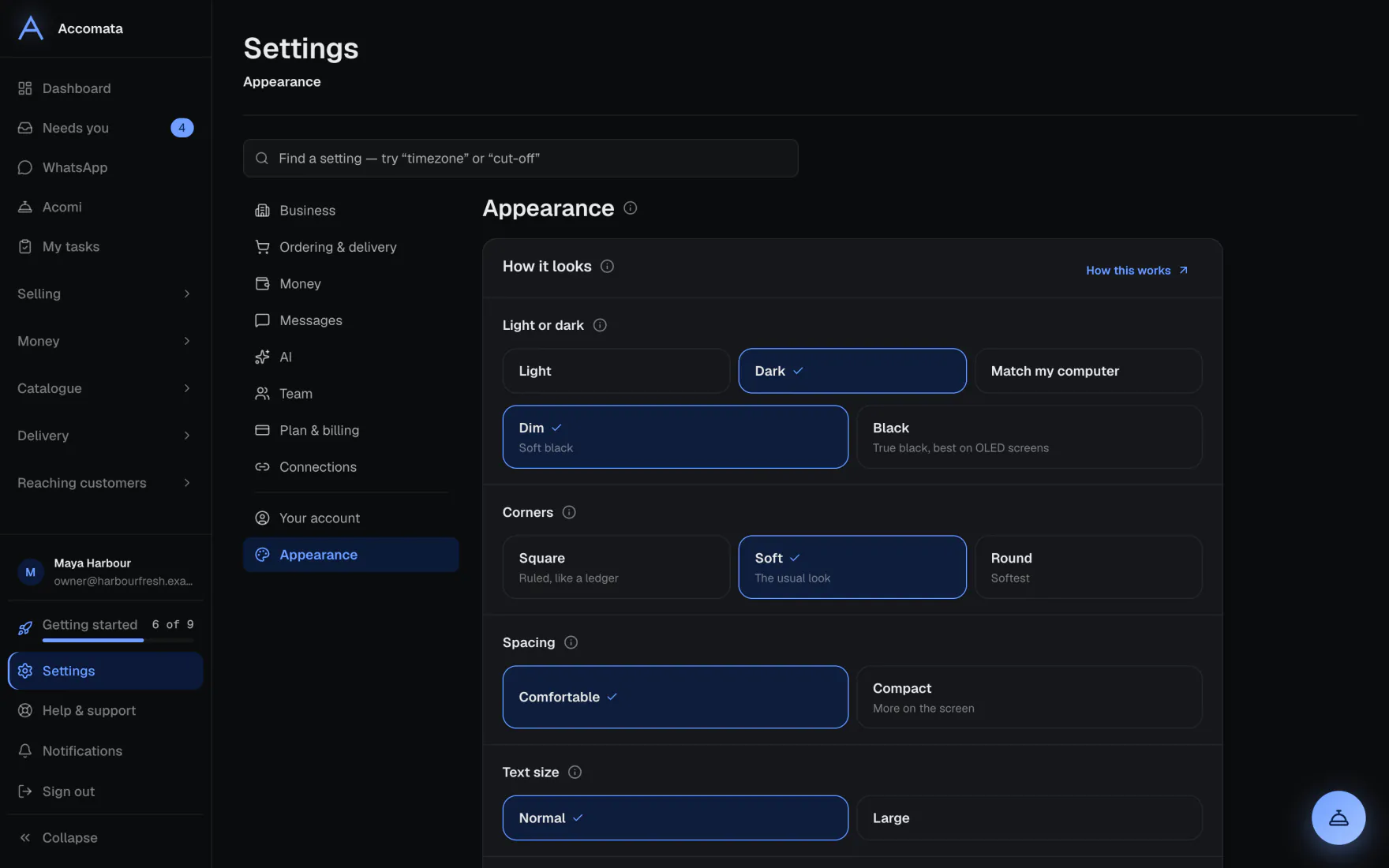
- Pick Light, Dark or Match my computer. In dark, choose Dim or Black.
- Pick your corners: Square, Soft or Round. Soft is the usual look.
- Pick Comfortable or Compact spacing, and Normal or Large text.
- Set Less motion to follow your computer, or turn it on or off.
It changes as you pick
The app repaints at once and the card says Saved. There is no Save button to press.
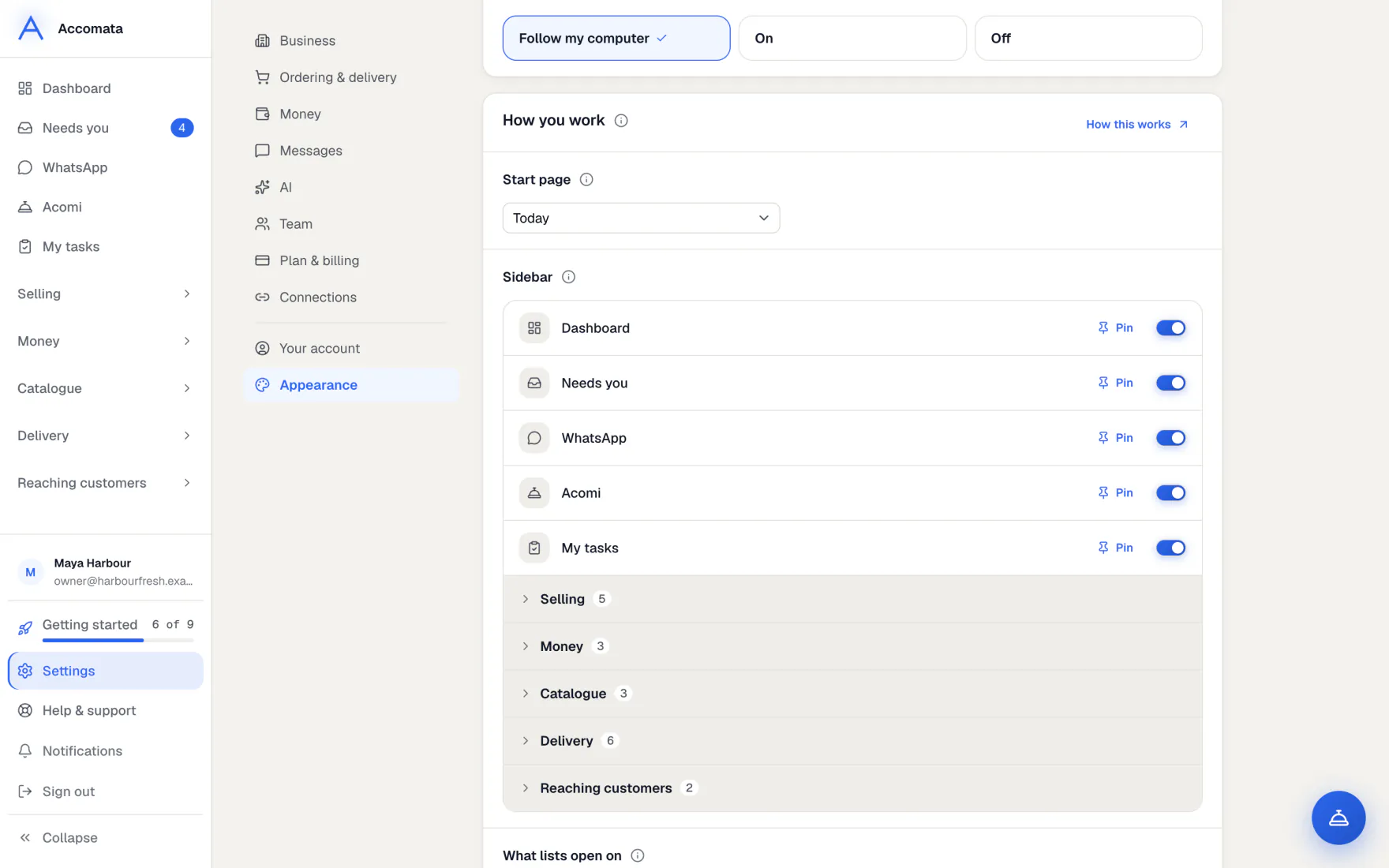
Change how you work
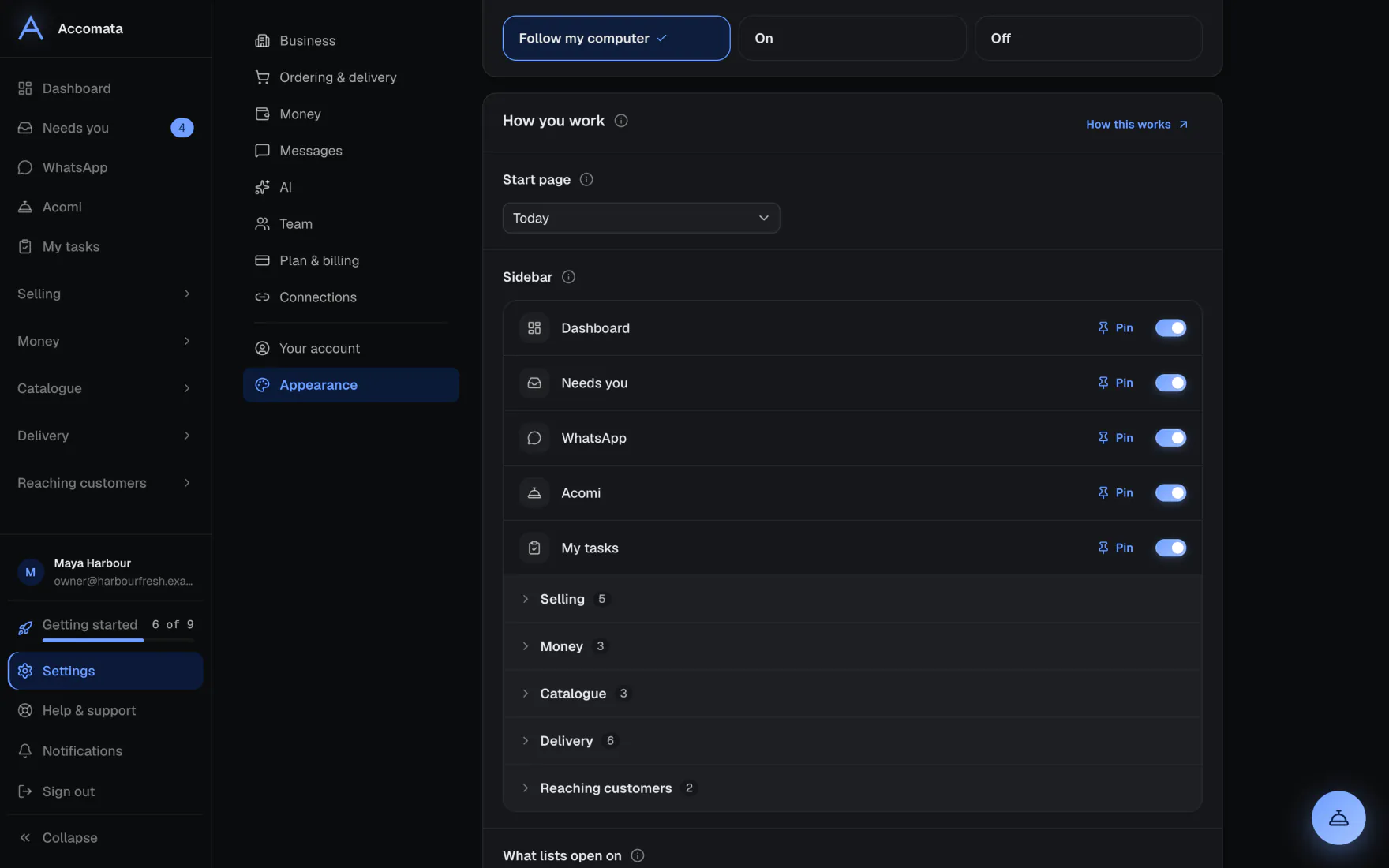
- Open Settings → Appearance → How you work.
- Pick your Start page: the screen you land on after signing in.
- In Your sidebar, pin up to eight screens to the top, put them in order with the arrows, or hide ones you never use. Reset puts it back.
- Under What lists open on, choose how Orders and Customers open, such as Today or This week.
- Choose where the Acomi button sits: Bottom right, Bottom left, or Hide it.
What if…
What if you hide the Acomi button?
Acomi is still on its own page in the sidebar, and every Ask Acomi button still works.
What if you hide a screen from your sidebar?
It only leaves your sidebar. It never changes who may open it, and the page you are on is never hidden.
What if you want to change the business colour?
That is one colour for everyone, set in Settings → Business → Accent colour. It shows on your portal and the driver app too.
Common questions
Do my choices change what my staff see?
No. Each person has their own look and workflow.
Why is my phone dark and my laptop light?
Light or dark is kept per browser on purpose, so each device can follow its own screen.
Does Less motion turn off everything that moves?
It stills the app’s own movement, such as sliding panels and loading sweeps. Live things, like a van moving on the map, still update.
Still stuck?
A person at Accomata reads every email and replies. Tell us what you were doing and what you saw.