Standing orders and reminders
What it does
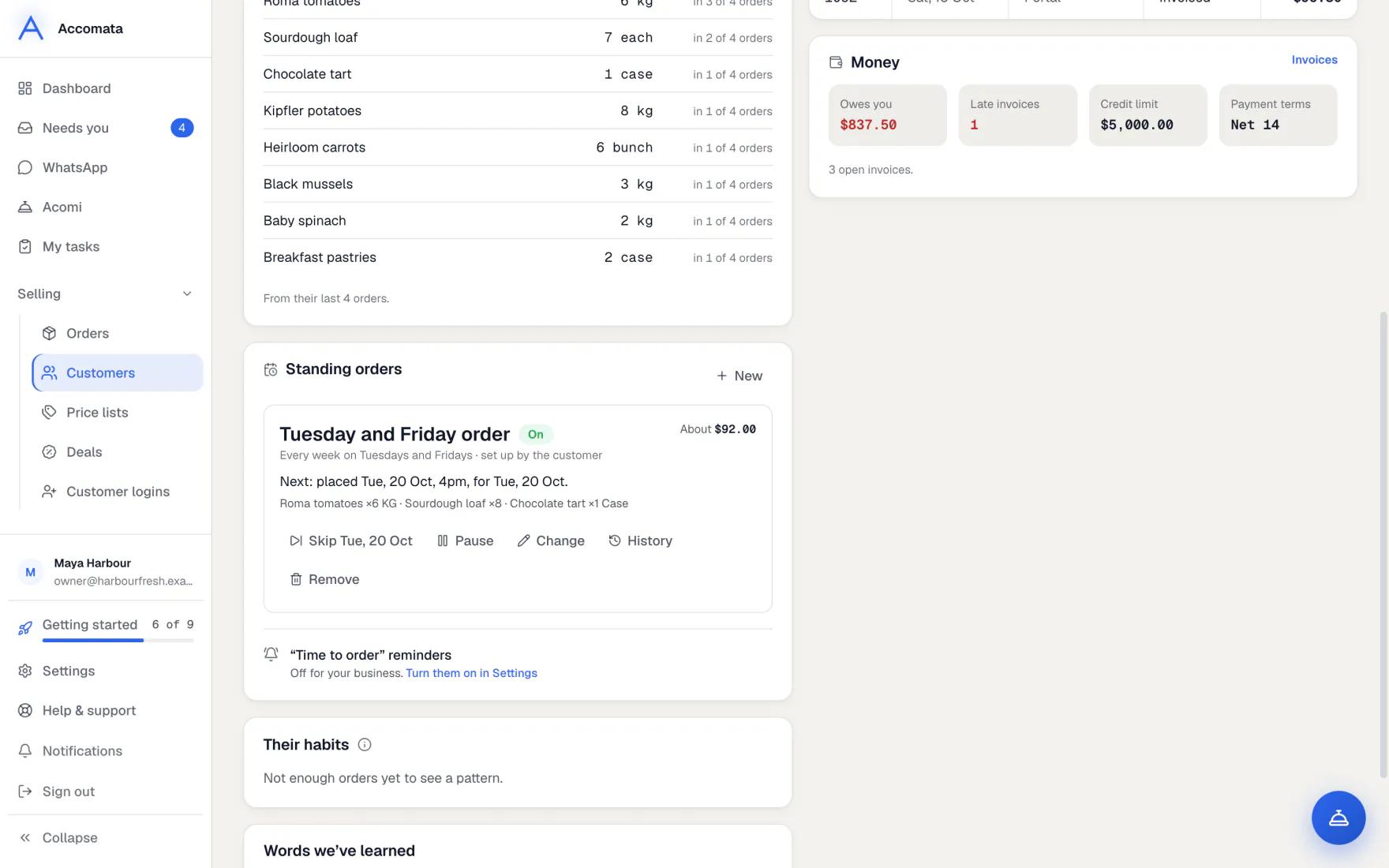
A standing order places the same order for a customer on the days you choose. It is placed at the cut-off, at that day’s prices, through the same checks as any order.
Reminders tell customers it is time to order. When a regular misses their usual order, they show in Needs you with a reminder ready to send.
How to do it
Set up a standing order
- Open the customer’s page and stay on Overview.
- Press Set up a standing order.
- Add the items and quantities, and pick the delivery days.
- Save. The next date and the rough total at today’s prices are shown.
Skip a date or pause it
- Open the standing order on the customer’s page.
- Press Skip with the next date to miss just that one. Press Put it back if you change your mind.
- Press Pause to stop it until a day, or until you start it again.
- Press Start again when you are ready.
Remind customers who miss their usual order
- Open Needs you → Orders. Look for Customers who usually order by now.
- Press Send reminder, or open it to change the words first.
- Press Send all to remind the whole group, 15 seconds apart.
- To send these by themselves at a set time, use Settings → Ordering & delivery → Standing orders and reminders.
What if…
What if a day is closed?
Standing orders skip closed dates. See Ordering closed.
What if an item can no longer be ordered?
The order is placed without it and waits in To confirm. Needs you says what was left out.
What if the customer’s account is on hold?
The standing order is not placed, and Needs you tells you why.
Common questions
Are standing orders confirmed by themselves?
Yes, by default. Complete standing orders arrive confirmed. Turn off Confirm standing orders automatically in Settings → Ordering & delivery → Standing orders and reminders to confirm each one yourself.
Can customers set up their own?
Yes, from their portal Home, if you let them change it. Otherwise they see “To change it, contact us.”
Can I stop reminders for one customer?
Yes. In the reminder’s panel press ⋯ → Don’t remind them. Their “time to order” reminders stop too.
Still stuck?
A person at Accomata reads every email and replies. Tell us what you were doing and what you saw.