Price lists, deals and quotes
What it does
Price lists set what a group of customers pays, as a percentage off or a price per product. Deals are time-limited prices, including lower prices for larger quantities.
When more than one price applies, the lowest one wins. Prices never stack. A quote is an order you send for the customer to approve in their portal.
How to do it
Make a price list
- Open Price lists and make a new one.
- Choose a percentage off, or set a price for each product.
- Add the customers who pay it. Set a first and last day if it only runs for a while.
Run a deal
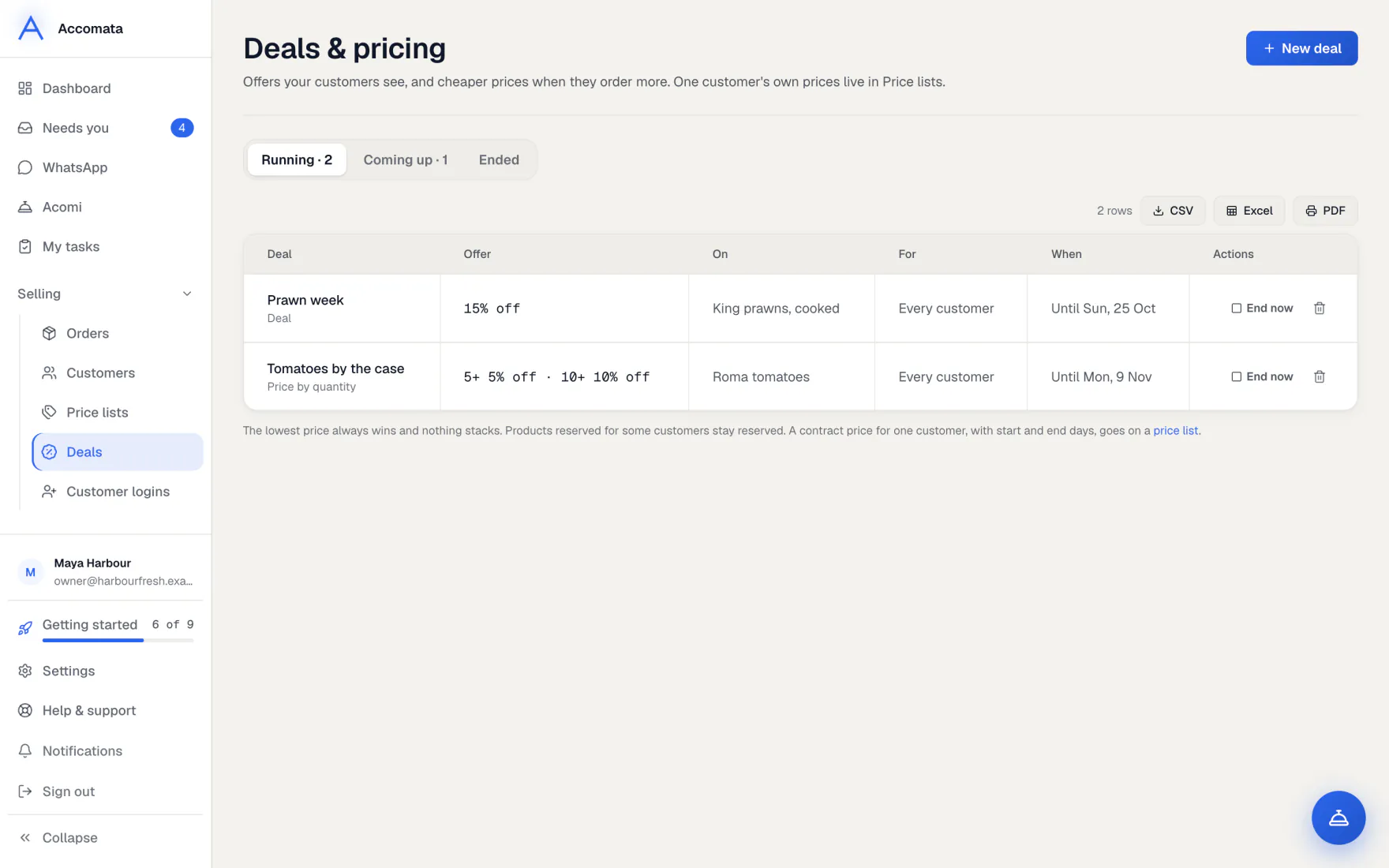
- Open Deals and start a new deal.
- Pick the products, the price and the days it runs.
- Add quantity prices if buying more should cost less.
- Customers see it on a Deals shelf with the old price beside it. Press End now to stop it early.
Send a quote
- Open the order and press Send as quote.
- The customer sees it under Quotes in their portal and approves it, or asks for a change.
- Once approved, it carries on as a normal order. Press Take it back to withdraw it first.
What if…
What if a customer is on no price list?
They pay your catalogue price from QuickBooks.
What if a deal and a price list both apply?
The customer pays the lower of the two. Deals never stack on top of each other.
What if prices change after an order is placed?
The order keeps the price it was placed at.
Common questions
Can a deal end by itself?
Yes. A deal runs between its first and last day, then moves to Ended.
Can a customer see other customers’ prices?
No. Each customer only ever sees their own prices.
Who can change prices?
People whose role can manage price lists. Others can see them but not change them.
Still stuck?
A person at Accomata reads every email and replies. Tell us what you were doing and what you saw.