Needs you
What it does
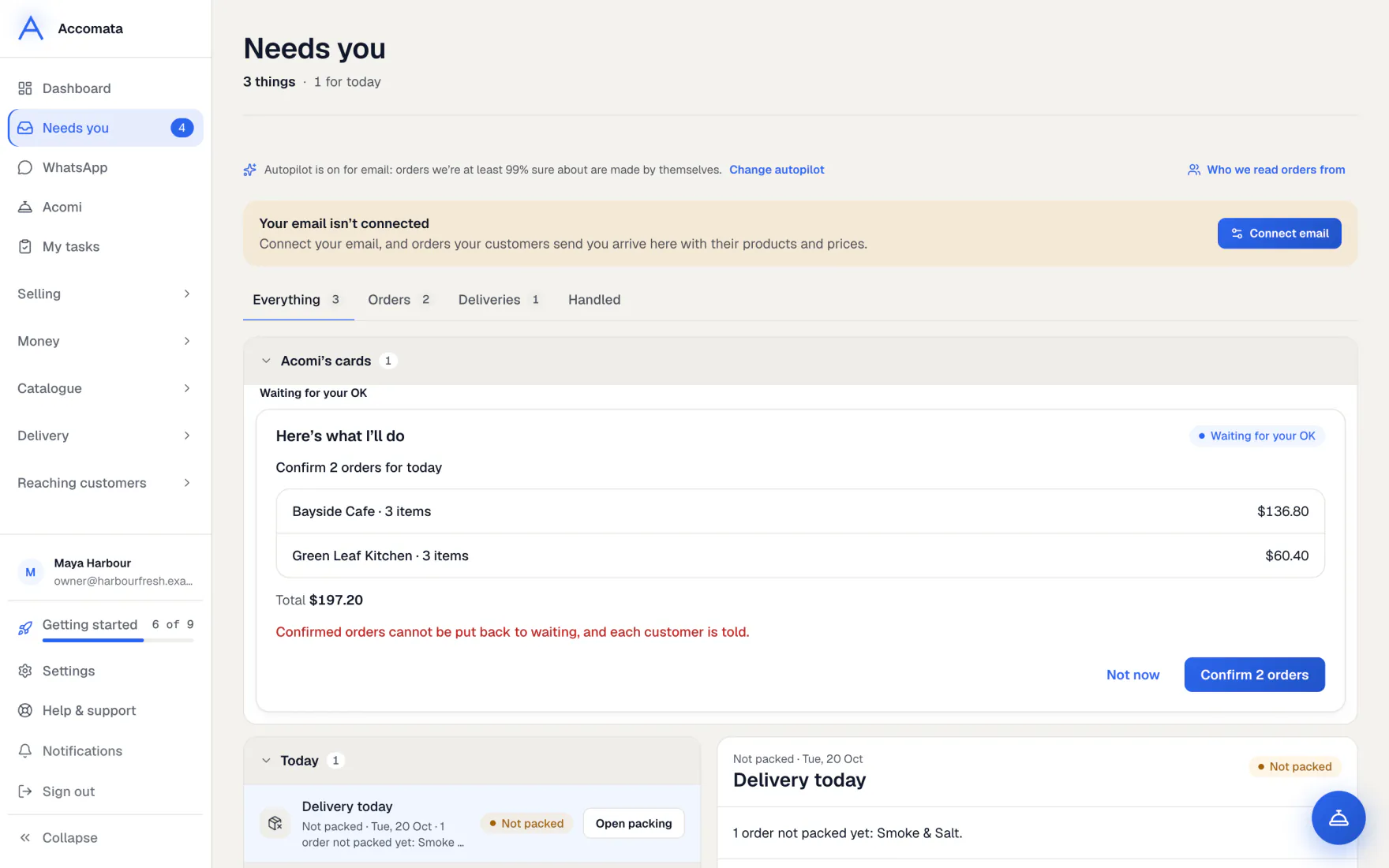
Needs you gathers what is waiting for a person in one list, most urgent first. That includes orders from email and WhatsApp, and orders changed in QuickBooks. It also holds standing orders that couldn’t be placed, deliveries that slipped, invoices to make and Acomi’s cards.
Each item has one button that deals with it. The number beside Needs you in the sidebar counts them all.
How to do it
Work through the list
- Open Needs you. Use the tabs to see Everything, Orders, Deliveries or Invoices.
- Press an item. Its panel says why it is waiting for you.
- Press its button: for example Check and create, Got it, Send reminder or Invoice now.
- Done items move to Handled, where you can still look them up.
Make the waiting invoices
- Open the Invoices tab.
- Press Invoice all N to make them in one go, or open one at a time.
- If an invoice was already made in QuickBooks, press Already done in QuickBooks so it stops waiting.
Orders not packed in the app
They are invoiced from the QuickBooks estimate as it is, with a short note saying so. See Invoices.
What if…
What if you see “Customers who usually order by now”?
These regulars haven’t ordered on their usual day. Press Send reminder, or Send all for the whole group. See Standing orders and reminders.
What if emails couldn’t be read yet?
One row says how many. We keep trying. Press Try now, or Stop trying for ones that aren’t orders.
What if Needs you says your mailbox is off or needs reconnecting?
Email orders can’t arrive until it is fixed. The button takes you to Settings → Connections → Mailbox.
Common questions
Does anything here happen by itself?
No. Every item waits for a press. The only exception is Autopilot, if you switch it on. See Autopilot.
Why does a QuickBooks change show here and not in the orders count?
An order changed in QuickBooks is counted once, here, so you see it in one place.
Can my staff use Needs you?
Yes, anyone who can see orders. Each button still needs its own permission, such as making invoices.
Still stuck?
A person at Accomata reads every email and replies. Tell us what you were doing and what you saw.